



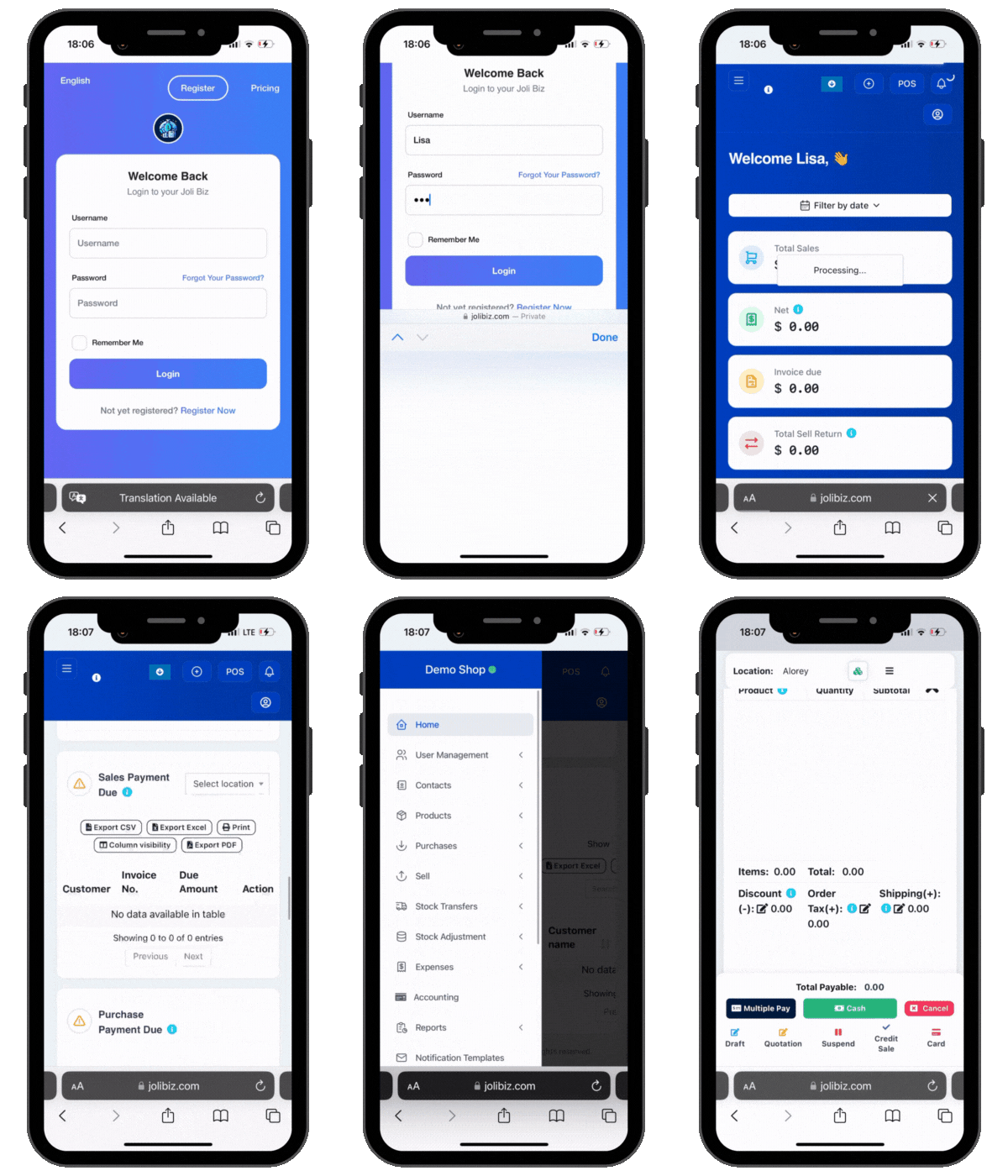
Joli Biz Software
Empower Your Business With Value-Adding Features
Discover How Our Amazing Features Can Help Your Business

User Management
Profile Information: Each user account can store personal details, contact information, and work-related data.
Role Assignment: Users can be assigned specific roles based on their job functions. Common roles might include Admin, Sales Representative, Inventory Manager, Customer Service, etc.
Permission Levels: Each role comes with predefined permissions, determining what actions a user can perform within the software. For example, an Admin might have full access, while a Sales Representative might only access sales-related data.
Custom Roles: Administrators can create custom roles tailored to the specific needs of the business, allowing for flexibility in how users interact with the system.
Agent Setup: Sales personnel can be designated as commission agents. This setup includes assigning agents to specific customers or sales territories.
Commission Structures: Administrators can define commission structures, which might include fixed rates, percentage-based commissions, or tiered commissions based on sales performance.
Tracking and Reporting: The software can track sales made by each agent, automatically calculating their commissions. Detailed reports can be generated to review performance and commission payouts.

Digi Shop
Stock Adjustments: When purchases are made through the online shop, the stock levels in your main business account are automatically adjusted to maintain accurate inventory records.
Data Import Tools:Utilize tools to import contacts from various sources, including spreadsheets, CRM systems, and email lists, ensuring seamless data integration.
Data Mapping: Map imported data fields to the system’s contact fields accurately, preventing data loss or inconsistencies.
Duplicate Management: Detect and merge duplicate contacts during the import process to maintain a clean and accurate database.
The store updates its product catalog to include a new line of skincare products. These updates are automatically reflected in the Joli Digi Shop, ensuring customers see the latest offerings without any delay.
A customer purchases a popular moisturizer online. The stock level for the moisturizer in the main business account is adjusted in real-time to reflect the sale.
A customer pre-orders a set of beauty products for collection. The store prepares the order for pickup on the scheduled date.
Another customer places an order for shipment. The store processes the order and ships the products to the customer’s address.
The store introduces a holiday discount on certain products. The discount is applied in the main business software, and the Joli Digi Shop automatically reflects the discounted prices.

Loyalty Rewards
Points Redemption: Customers can redeem accumulated points for discounts, free products, or other rewards.
Points Balance Tracking: Track the points balance for each customer, allowing them to view and manage their points.

Contacts Management
Order History: Track order history and interactions with suppliers, facilitating easy reordering and relationship management.
Performance Metrics: Monitor supplier performance metrics such as delivery reliability, product quality, and pricing trends.
Customer Profiles: Create comprehensive profiles for each customer, capturing personal information, purchase history, preferences, and contact details.
Communication Logs: Keep records of all communications with customers, ensuring consistent and informed interactions.
Loyalty Rewards: Manage customer loyalty programs, tracking points, rewards, and engagement levels.
Segmentation: Group customers based on criteria such as purchase behavior, demographics, or loyalty status, allowing for targeted marketing and personalized service.
Data Import Tools:Utilize tools to import contacts from various sources, including spreadsheets, CRM systems, and email lists, ensuring seamless data integration.
Data Mapping: Map imported data fields to the system’s contact fields accurately, preventing data loss or inconsistencies.
Duplicate Management: Detect and merge duplicate contacts during the import process to maintain a clean and accurate database.

Product Management
Product Management is designed to manage all aspects of a product's lifecycle. This includes listing products, adding new products, updating product details and prices, printing labels, managing variations and more.
List Products: The business can view its entire product catalog, including details like product name, SKU, price, and stock levels.
Add Products: New electronics, such as smartphones or laptops, can be added to the catalog with detailed descriptions and images.
Update Product: If a product's specifications change or new features are added, the business can easily update the product details.
Update Price: During promotional periods or sales events, the business can quickly adjust prices for multiple products.
Print Labels: Labels for new stock can be printed in batches, ensuring all products are correctly labeled with barcodes and prices.
Variations: Products like smartphones can have variations for different storage capacities or colors.
Import Products: When launching new product lines, the business can import product data from suppliers, saving time on data entry.
Import Opening Stock: Initial stock levels for newly added products can be imported, ensuring accurate inventory records from the start.
Selling Price Group: Different price tiers can be set for retail and wholesale customers, automatically applied during checkout.
Units: Products can be managed in appropriate units, such as pieces for electronics or meters for cables.
Categories: Products can be organized into categories like "Smartphones," "Laptops," and "Accessories" for easy browsing.
Brands: Products can be associated with brands like Apple, Samsung, or Dell, helping customers find their preferred brands.
Warranties: Warranty information for products can be tracked and managed, providing customers with accurate warranty support.

Purchase Management
Purchase Management facilitates efficient handling of purchasing activities. This includes managing purchase returns, maintaining a purchase list, and adding new purchases with detailed information and attaching relevant documents.
Purchase Status: Set the status of the purchase (e.g., pending, received, partially received, completed) to track the progress of each order.
Payment Terms: Define payment terms with the supplier, such as net 30, net 60, or cash on delivery, ensuring clear understanding and compliance.
Attach Documents: Attach relevant documents to each purchase, such as invoices, receipts, and delivery notes, for comprehensive record-keeping and easy retrieval.
Refund and Replacement: Handle refunds or replacements for returned items, ensuring customer satisfaction and maintaining supplier relationships.
Search and Filter: Easily search and filter purchases based on criteria such as date range, supplier, status, or reference number.
Detailed Records: Access detailed records for each purchase, including itemized lists of products, quantities, prices, and any associated documents.
Purchase List: The business can view a comprehensive list of all purchases, filter by supplier or date, and access detailed records of each transaction.
Add Purchase: When adding a new purchase, the business can: Assign a unique reference number for tracking. Set the purchase status to "pending" until the goods are received. Define payment terms agreed upon with the supplier. Attach the supplier's invoice and any other relevant documents to the purchase record.
Sales Management
Payment Processing: Accept various payment methods such as cash, credit/debit cards. Sales Receipts: Generate and print sales receipts for customers or send them to their WhatsApp / Email.
Edit Drafts: Modify draft sales as needed before finalizing and converting them into completed sales.
Send Quotations: Email or print quotations to send to prospective customers.
Return History: View a history of all sale returns to analyze return trends and manage inventory effectively.
Shipping Notifications: Notify customers of shipment status and tracking information via email or SMS.
Discount Rules: Set rules for discounts, including eligibility criteria and expiration dates
Customer Notifications: Notify customers of upcoming renewals and subscription status changes.
Order Tracking: Track the status of order requests from initiation to completion, ensuring timely fulfillment.
List Products: The business can view its entire product catalog, including details like product name, SKU, price, and stock levels.
Add Products: New electronics, such as smartphones or laptops, can be added to the catalog with detailed descriptions and images.
Update Product: If a product's specifications change or new features are added, the business can easily update the product details.
Update Price: During promotional periods or sales events, the business can quickly adjust prices for multiple products.
Print Labels: Labels for new stock can be printed in batches, ensuring all products are correctly labeled with barcodes and prices.
Variations: Products like smartphones can have variations for different storage capacities or colors.
Import Products: When launching new product lines, the business can import product data from suppliers, saving time on data entry.
Import Opening Stock: Initial stock levels for newly added products can be imported, ensuring accurate inventory records from the start.
Selling Price Group: Different price tiers can be set for retail and wholesale customers, automatically applied during checkout.
Units: Products can be managed in appropriate units, such as pieces for electronics or meters for cables.
Categories: Products can be organized into categories like "Smartphones," "Laptops," and "Accessories" for easy browsing.
Brands: Products can be associated with brands like Apple, Samsung, or Dell, helping customers find their preferred brands.
Warranties: Warranty information for products can be tracked and managed, providing customers with accurate warranty support.

Business Insights Reports
Product Trends: Analyze sales trends for specific products to determine popularity and seasonal variations.
Inventory Recommendations: Get insights into inventory levels to ensure popular products are always in stock.
Tax Liability: Calculate tax liabilities to ensure accurate and timely tax filings.
Refund and Replacement: Handle refunds or replacements for returned items, ensuring customer satisfaction and maintaining supplier relationships.
Security Monitoring: Monitor for any unusual or unauthorized activities to ensure system security.
Group Performance: Evaluate the performance of each customer group, including average spend and frequency of purchases.
Stock Movement: Track stock inflows and outflows, including purchases, sales, and transfers.
Reorder Recommendations: Get alerts for products that need to be reordered based on predefined thresholds.
Expense Trends: Analyze trends in business spending to identify cost-saving opportunities.
Budget vs. Actual: Compare actual expenses against budgeted amounts to monitor financial performance.
Customer Insights: Gain insights into customer behavior, including purchase history and engagement metrics.
Account Balances: Monitor outstanding balances with suppliers and customers.
Commission Calculations: Calculate commissions based on predefined criteria and sales performance.
Sales Activities: Monitor sales activities, such as calls made, meetings held, and follow-ups.
Impact Analysis: Analyze the impact of stock adjustments on inventory levels and financials.
Search and Filter: Easily search and filter purchases based on criteria such as date range, supplier, status, or reference number.
Detailed Records: Access detailed records for each purchase, including itemized lists of products, quantities, prices, and any associated documents.
Purchase List: The business can view a comprehensive list of all purchases, filter by supplier or date, and access detailed records of each transaction.
Add Purchase: When adding a new purchase, the business can: Assign a unique reference number for tracking. Set the purchase status to "pending" until the goods are received. Define payment terms agreed upon with the supplier. Attach the supplier's invoice and any other relevant documents to the purchase record.

Stock Transfer
Items and Quantities: Specify the products and quantities to be transferred, ensuring precise inventory adjustments.
Reference Number: Assign a unique reference number to each stock transfer for easy tracking and identification.
Transfer Status: Set the status of the transfer (e.g., pending, in transit, completed) to track the progress of each stock movement.
Notes and Instructions: Add any additional notes or special instructions related to the transfer, ensuring clear communication and proper handling.
Search and Filter: Easily search and filter stock transfers based on various criteria like date range, locations, or status.
Detailed Records: Access detailed records for each stock transfer, including itemized lists of products, quantities, and any associated notes or instructions.
Search and Filter: Easily search and filter stock transfers based on various criteria like date range, locations, or status.
Detailed Records: Access detailed records for each stock transfer, including itemized lists of products, quantities, and any associated notes or instructions.

Stock Adjustments
Items and Quantities: Specify the products and quantities to be adjusted, ensuring precise inventory updates.
Reference Number: Assign a unique reference number to each stock adjustment for easy tracking and identification.
Notes: Add any additional notes or explanations related to the adjustment, ensuring clear documentation and understanding.
Search and Filter: Easily search and filter stock adjustments based on various criteria like date range, adjustment type, reason, or reference number.
Detailed Records: Access detailed records for each stock adjustment, including itemized lists of products, quantities, and any associated notes or explanations.
- Date: July 3, 2024
- Adjustment Type: Decrease
- Reason: Stock count correction
- Products and Quantities: Decrease by 20 units of Product C
- Unique Reference Number: SA-20240703-01
- Notes: "Discrepancy found during routine stock count."
- Date: July 3, 2024
- Adjustment Type: Decrease
- Reason: Stock count correction
- Products: 20 units of Product C
- Notes: "Discrepancy found during routine stock count."

Expense Management
Expense Category: Assign an appropriate category to each expense (e.g., office supplies, utilities, travel) for better organization and tracking.
Payment Method: Specify the payment method used (e.g., cash, credit card, bank transfer).
Reference Number: Assign a unique reference number to each expense for easy tracking and identification.
Attach Receipts: Attach digital copies of receipts or invoices to each expense entry for comprehensive record-keeping and verification.
Notes: Add any additional notes or explanations related to the expense, ensuring clear documentation and understanding.
Search and Filter: Easily search and filter expenses based on various criteria like date range, category, vendor, or amount.
Detailed Records: Access detailed records for each expense, including itemized lists, attached receipts, and any associated notes or explanations.
Export Options: Export expense records to various formats (e.g., CSV, PDF) for reporting, analysis, or accounting purposes.
Categorization Rules: Set rules for categorizing expenses automatically based on predefined criteria (e.g., vendor, description keywords).
Category Reporting: Generate reports based on expense categories to analyze spending patterns and identify areas for cost-saving.
Category: Utilities
Food Supplies Amount: $500
Description: "Purchase of fresh vegetables and meats"
Attached Document: Receipt from supplier
- Food Supplies: Expenses related to purchasing ingredients and raw materials.
- Utilities: Costs for electricity, water, gas, and other utilities.
- Rent: Monthly rent for the restaurant premises.
- Marketing: Expenses for advertising, promotions, and marketing campaigns.
- Maintenance: Costs for equipment repair, cleaning, and general maintenance.
- Custom Categories: Categories such as "Staff Training" or "Interior Decor" for specific needs.

Accounting
Account Categorization: Categorize accounts into subcategories for better organization and tracking.
Account Codes: Assign unique codes to each account for easy identification and reference.
Entry Details: Include details such as date, description, and reference number for each journal entry.
Attachments: Attach supporting documents to journal entries for comprehensive record-keeping.
Details: Include details like date, amount, source account, destination account, and description for each transfer.
Transfer Tracking: Track the status and history of all transfers to ensure accuracy and completeness.
Search and Filter: Search and filter transactions based on criteria like date range, account, amount, or transaction type.
Transaction Details: Access detailed records for each transaction, including associated accounts and supporting documents.
Budget Tracking: Monitor actual income and expenses against budgeted amounts to identify variances and manage financial performance.
Budget Adjustment: Adjust budgets as needed to reflect changes in business goals or financial conditions.
Custom Reports: Create custom reports tailored to specific business needs, including detailed account analysis and financial summaries.
Report Export: Export reports in various formats (e.g., PDF, Excel) for sharing and further analysis.

Bookings
Drag-and-Drop: Easily drag-and-drop bookings to reschedule or adjust times, enhancing flexibility and convenience.
Daily, Weekly, Monthly Views: Toggle between daily, weekly, and monthly views to get the desired level of detail.
Status Updates: Easily update the status of bookings as they progress, ensuring accurate tracking and communication.
Service Notes: Capture notes for service personnel to ensure they are informed and prepared for each appointment.
Manage Schedules: Manage the schedules of service personnel, ensuring optimal utilization and avoiding conflicts.
Customizable Messages: Customize the content of notifications to include booking details, special instructions, and personalized messages.
Booking Status
Waiting: A customer calls to inquire about a reservation but has not yet confirmed.
Booked: The reservation for July 10, 2024, is confirmed.
Completed: After the diners have visited the restaurant.
Cancelled: If the customer cancels the reservation.
Capture Notes
"It's a birthday celebration; arrange a special dessert."
Service Person
Assigned Server: John Doe
Email Confirmation

Customer Relationship Management
Lead Details: Store detailed information about each lead, including contact information, source, and interaction history.
Lead Scoring: Assign scores to leads based on their likelihood to convert, helping prioritize follow-up efforts.
Reminders: Set reminders for follow-up tasks to ensure no opportunities are missed.
Follow-Up History: Track the history of follow-up activities for each lead or customer, maintaining a comprehensive record of interactions.
Target Audience: Define target audiences for campaigns based on criteria such as demographics, behavior, or lead scores.
Campaign Analytics: Track the performance of campaigns, analyzing metrics such as open rates, click-through rates, and conversion rates.
Templates: Use templates to standardize proposals, ensuring consistency and efficiency.
Tracking: Track the status of proposals, from creation to acceptance or rejection.
Source Analysis: Analyze the effectiveness of different sources in generating leads and customers, helping optimize marketing efforts.
Dashboards: Use dashboards to visualize key metrics and trends, providing insights into CRM effectiveness.
Export Options: Export reports in various formats (e.g., PDF, Excel) for sharing and further analysis.
Categorization: Categorize follow-up activities to streamline task management and reporting.
Performance Tracking: Track the effectiveness of different follow-up categories in progressing leads through the sales pipeline.
Stage Transitions: Manage transitions between stages based on specific criteria or actions taken by the customer.
Stage Analytics: Analyze customer behavior and engagement at different lifecycle stages to identify opportunities for improvement.
Essentials
Priority Levels: Assign priority levels to tasks (e.g., high, medium, low) to help users focus on the most critical tasks first.
Status Tracking: Update the status of tasks (e.g., pending, in progress, completed) to monitor progress.
Estimated Time: Include estimated time to complete each task to better plan and allocate resources.
Categorization: Organize documents into categories or folders for better management.
File Sharing: Share documents with team members or external stakeholders securely.
Recurring Reminders: Create recurring reminders for regular tasks or events, reducing the need for manual input.
Document Upload: The store manager uploads documents like vendor contracts, purchase orders, and marketing materials to the system. Each document includes a description for easy identification and is organized into folders such as "Vendor Contracts" and "Marketing."
Memos: The store manager shares a memo with the staff announcing a new promotional event, attaching the event guidelines and schedule.

Digital Catalogue
Customization: Customize QR codes with branding elements, such as logos and color schemes.
Search and Filter: Allow customers to search and filter products by various criteria such as category, price range, and popularity.
Mobile-Friendly Design: Ensure the catalogue is optimized for mobile viewing, providing a seamless user experience on smartphones.

Transform Your Business Today
Experience the full benefits of Joli Biz explore all the features and see how it fits your business needs without any commitment.